UDP monitoring for DNS, NTP, game servers and your own service

UDP has no connection to open, so a UDP monitor sends one small request and waits for the answer. Up means an answer arrived in time; silence or a closed port means down.

In practice

Where a UDP monitor earns its place

A UDP monitor fits any service that speaks UDP and answers a stranger's question: game servers, name servers, time servers and your own.

Gaming

Source game servers, one per port

A host often runs several Source engine game servers, each on its own port. A UDP monitor per server sends the query that server browsers send and waits for the answer. When one server stops answering, the alert names its port and says “No answer to the UDP request in time”, while the others stay up.

Gaming

Minecraft Bedrock servers

The Bedrock game asks a server how it is with a small packet called an unconnected ping, on UDP port 19132 by default. A UDP monitor sends that same ping and is up when the server's pong comes back in time. Over weeks, the monitor page shows the uptime for the last 24 hours, 7, 30 and 365 days.

DNS

Name servers you run yourself

If you run your own name servers, a UDP monitor on port 53 sends each one a DNS question and is up when it answers, even with a refusal. That proves the server is alive and answering. Whether your domain's records are right is a job for a DNS monitor: it looks up one record through a resolver, not through your server, and compares it.

Time

Time servers for your machines

Machines that lose their time source drift slowly, until logs and certificates go wrong. A UDP monitor on port 123 sends a normal NTP time request and checks that the reply carries back the random part of the request. The chart shows how long the answers took. It proves that the server answers; it does not measure its clock.

Custom

Your own service's status port

Some in-house services answer a short text on a UDP port. Send your own request, such as the word status, and type a text the answer must contain, such as OK. The monitor is up only when an answer with that text arrives in time; a reply without it fails with “Something answered, but not as expected”. Upper and lower case count.

Calls

STUN and TURN servers for calls

Calls in the browser often rely on a STUN or TURN server on UDP port 3478. Choose “Custom request”, write it as “Hex bytes”, paste the 20 bytes of a STUN binding request and leave “Answer must contain” empty. Any answer from the server then counts, and silence opens an incident once the retry confirms it.

What is included

Ready-made requests

A DNS question on port 53, an NTP time request on 123, a Source game server query on 27015 and a Minecraft Bedrock ping on 19132: what a real client sends.

Or your own request

Text or hex, up to 512 bytes, and if you like a text the answer must contain.

Only the real answer counts

DNS and NTP requests carry a random part that the server sends back, so a stray packet is never taken for the answer.

How a check fails

“No answer to the UDP request in time”, “Something answered, but not as expected”, or the host saying that the port is closed. A name that cannot be found, or a private address, fails the check too.

Response time

Each check records how long the answer took, with charts from the last hour to 30 days.

Checked again before you hear

A request without an answer is sent again, and from other regions, before an incident opens.

In the dashboard

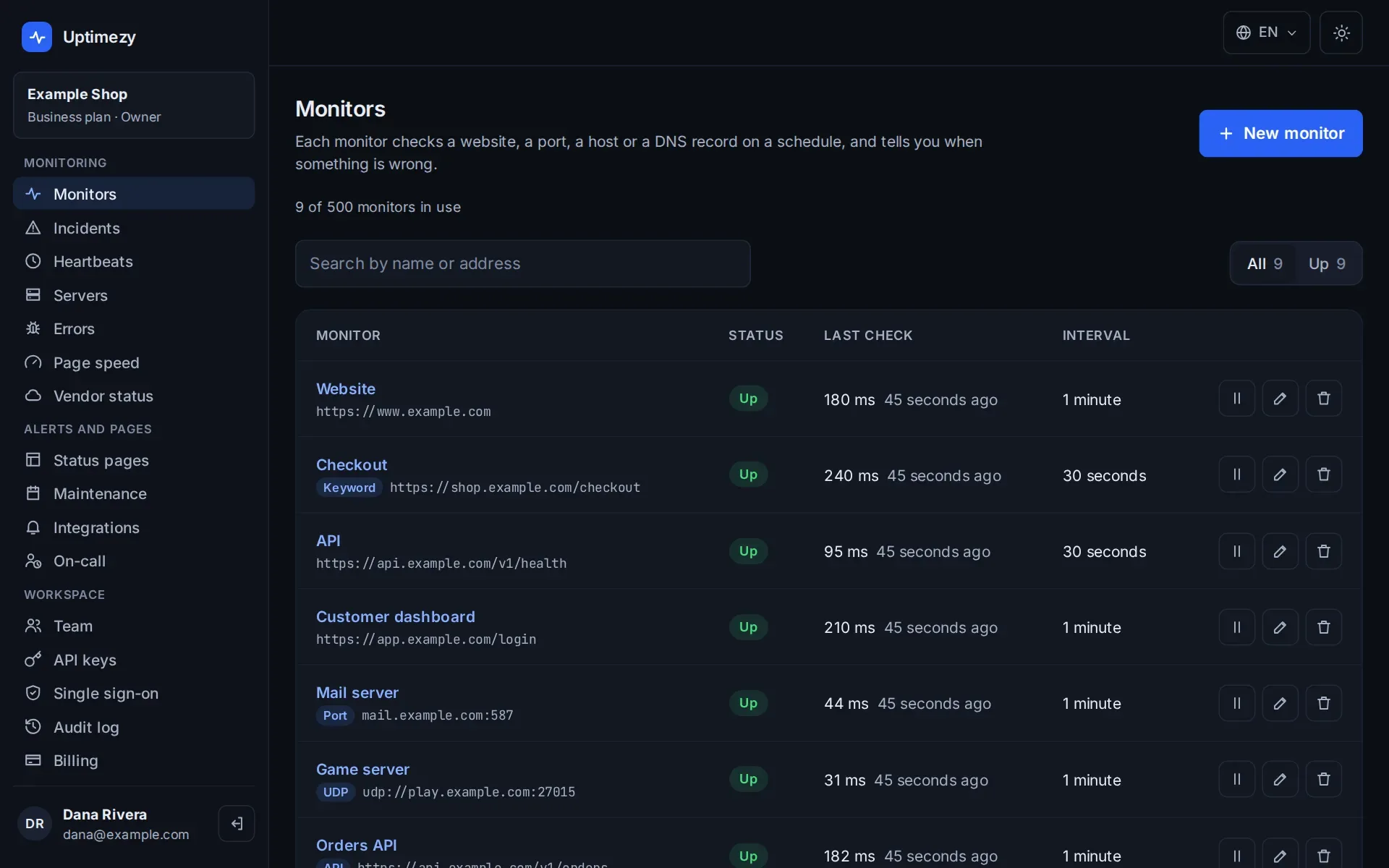
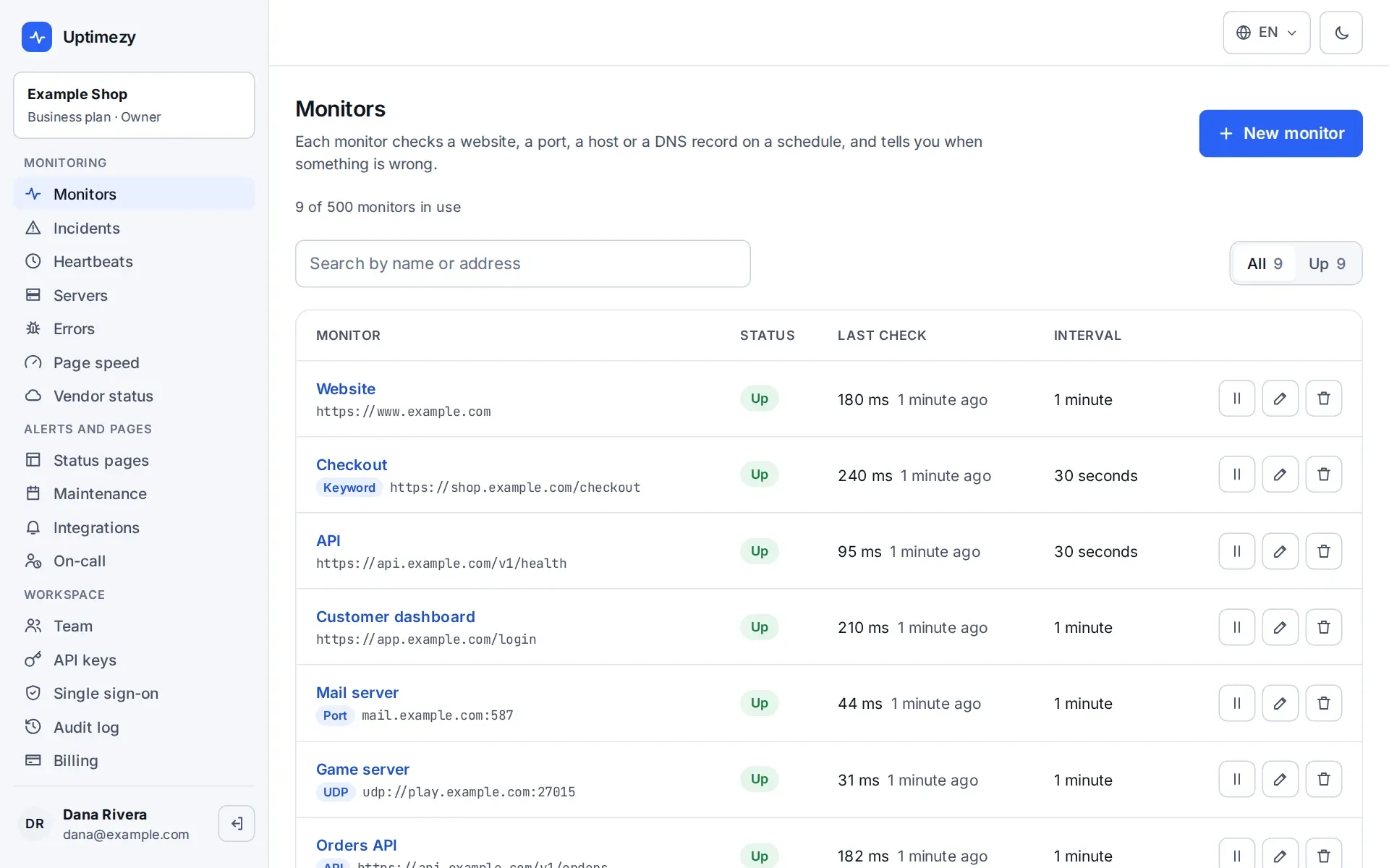
A screen from the dashboard, with example data.

The Monitors page: nine monitors of different types, all up, with their response times and check intervals.The Monitors page: nine monitors of different types, all up, with their response times and check intervals.

How it works

  1. Step 1

    Add the host and port

    Choose UDP as the type, then a ready-made request or your own.

  2. Step 2

    We ask

    Regions take turns sending the request, at the interval you chose.

  3. Step 3

    Hear when it is silent

    When regions agree that no answer comes, your channels are told.

The full guide

UDP monitoring, explained

Eight short chapters, from why UDP needs a question to the services that never answer one. Each one opens in place, so the page stays short.

01Why UDP needs a request and an answer

TCP opens a connection before any data flows, so a port monitor can see a door open. UDP has no connection: packets just go out, and a service answers or it does not. So the only proof that a UDP service works is an answer to a question it understands.

Read moreShow less

A UDP monitor sends one small request, the kind a real client sends, and waits for the reply. It is up when an answer to that request arrives within the Timeout. Everything else is down: silence, a reply that is not an answer, or the host saying that nothing listens on the port.

Port monitorUDP monitor
ProtocolTCPUDP
It sendsNothing: it opens a connection and closes itOne request, ready-made or your own
Up whenThe connection opens in timeAn answer to the request arrives in time
Silence givesNo answer in timeNo answer to the UDP request in time
A closed port givesConnection refused or droppedConnection refused or dropped, when the host reports it

02The four ready-made requests

For common UDP services you do not need to know the protocol. Pick the request, type the host, and leave the port empty to use its usual one.

Read moreShow less
RequestUsual portWhat we sendUp when
DNS question53A question for the root's name serversAny DNS answer comes back, even a refusal
NTP time request123A normal client time requestA server reply carries back our random part
Game server (Source engine)27015The standard query that server browsers sendAn info reply comes back, or the challenge some servers send first
Game server (Minecraft Bedrock)19132The standard unconnected pingThe server's pong comes back

These are the same small packets that real clients send every day, so they do the server no harm. The DNS and NTP requests carry a random part that the server must send back. Game server replies are recognised by their form, so any reply of the right kind is enough.

03Writing your own request

When your service is not one of the four, keep Custom request and send your own bytes. Choose a request that your service answers for anyone, without signing in.

Read moreShow less
  • Request to send: up to 512 bytes. Under Written as, choose Text or Hex bytes.
  • Text must not contain a zero byte. For a binary protocol, write hex: pairs of digits, with spaces if you like, such as ff ff ff ff 54.
  • Answer must contain is optional, up to 200 characters. When it is empty, any answer counts. With a text, the answer must contain it, and upper and lower case count: OK does not match ok.
  • A custom request needs a Port: there is no usual one to fall back on.

The expected text is looked for in each reply, at most 2 KB of it. It is a text search only: to accept a binary reply, leave the field empty and let any answer count.

04What counts as the answer

A UDP check is strict about what it accepts, so a stray packet never makes a dead service look alive. This is what happens between sending the request and deciding.

Read moreShow less
  • The host name is looked up, and the first public IPv4 address is used, or the first public IPv6 address when there is none. To test one address, type it as the host.
  • The request goes out once. Only replies from that address and port are read; anything else is ignored.
  • The first reply that matches the request makes the check pass. Its time, from the start of the check with the name lookup included, is the response time.
  • A reply that does not match is set aside, and the check keeps waiting. If no matching reply comes before the time limit, it fails with Something answered, but not as expected; if nothing came at all, with No answer to the UDP request in time.

At most 2 KB of a reply is read, and nothing of it is kept: the monitor stores only whether an answer came and matched, and how long it took. The monitor's page shows what is sent in its UDP request card.

05Setting up a UDP monitor

Adding a UDP monitor takes a minute. Before you start, know which port the service listens on, and whether it answers a stranger.

Read moreShow less
  1. In the dashboard, open Monitors and choose New monitor.
  2. Under What to check, choose UDP.
  3. Under Request, choose a ready-made request, or keep Custom request and fill in the request. A text the answer must contain is optional.
  4. Type the Host. With a ready-made request you can leave Port empty: its usual port is used.
  5. Choose the Check interval and the Timeout, then press Create monitor.

A service that answers slowly needs a longer Timeout, up to 30 seconds and shorter than the interval: the check waits that long before it fails. The free check on our website does not offer UDP, so the monitor's first checks are the test. If it is down from the start, the next chapter helps.

06Reading a UDP failure

Each failed check names its reason, and with UDP the reason says a lot about where the packets went. One lost packet never raises an alert on its own.

Read moreShow less
ReasonWhat it means
No answer to the UDP request in timeNothing came back in time. The service is down, it does not answer strangers, or a firewall drops the packets without a word.
Something answered, but not as expectedSomething came back from the host, but not an answer to our request, or not one with your text.
Connection refused or droppedThe host said that nothing listens on the port: the service is stopped, or it listens on another port.
Address not found (DNS)The host name could not be looked up.
Address leads to a private networkThe name leads to an address in a private network.

Each check sends one request, so a packet lost on the way fails that check alone. The same place sends a new request 30 seconds later, or at the next check when the interval is shorter, and other places vote when we run checks from more than one; fewer false alarms explains the rules. When an incident opens, the route to the host is traced and kept with it, under Route when it opened.
07Services that never answer strangers

Some UDP services are silent on purpose. They answer only clients they know, so to a monitor they always look down.

Read moreShow less
  • WireGuard answers nothing until a known key speaks to it, so it cannot be watched this way. Watch something else on the same host instead, such as a port it keeps open, or a ping.
  • A service behind a firewall that lets only known addresses in looks silent too. Let in UDP to the port from the places we run checks from, and let the answers out: see Let our checks through a firewall.
  • A DNS server that refuses our question still counts as up, because the refusal is an answer. It proves that the server is alive, not that your records are right: for that, add a DNS monitor.
  • An NTP server that answers counts as up whatever time it gives. The check does not measure how far off its clock is.

08What a UDP monitor leaves out

A UDP monitor is small and strict. A few things it does not do are worth knowing before you rely on it.

Read moreShow less
  • No packet loss figure. Each check sends one request and waits for one answer.
  • The answer is read only to recognise it as a reply to our request and to look for your text. Nothing of it is kept.
  • One request per check. A custom request is at most 512 bytes and the same at every check; the DNS, NTP and Bedrock requests carry a new random part each time.
  • Not in the free check on our website, and AI assistants cannot create UDP monitors. Add them in the dashboard or through the REST API.
  • Public hosts only. Private addresses and internal names are refused when you save, and the address is checked again at every check, after the name is looked up.
  • IPv4 first. A name with both kinds of address is checked over IPv4; type an IPv6 address as the host to check that one.

Common questions

What do you send to my server?

The ready-made requests are the ones every client sends, and your own request is at most 512 bytes. We read at most 2 KB of the answer and keep none of it.

Why not a port monitor?

A port monitor opens a TCP connection. UDP has none, so only an answer proves that the service works.

Why does my UDP monitor say there is no answer when the service runs?

Some services never answer a stranger, and some firewalls drop packets without a word. From outside, both look the same: no answer in time. A port that the host reports closed gives “Connection refused or dropped” instead.

Is the expected text case-sensitive?

Yes: OK does not match ok. Leave the field empty if any answer is fine.

Can an AI assistant create UDP monitors?

No. Assistants connected over MCP can make website, keyword, port, ping and DNS monitors. Create UDP monitors in the dashboard or through the REST API.

Does a UDP monitor measure packet loss?

No. Each check sends one request and waits for one answer. A lost packet fails that check, and the retry sends a new request before anything is called down.

More features

All features

Run a real query and check the answer.

Learn more: Database monitoring

Hear about the job that did not run.

Learn more: Cron job heartbeats

See inside every server you run.

Learn more: Server monitoring

Add your first monitor in two minutes

Free plan. No credit card needed.