API monitoring with headers, a body and checks on the answer

Send the request your API expects, with your headers and a body, then check the answer: the status code, values in the JSON, headers and the time it took. When a check fails, the alert says which one.

In practice

Where an API monitor earns its place

An API monitor fits any endpoint whose answer matters as much as its status code: a health check, an endpoint behind a token, an API you depend on.

Health checks

A health endpoint that tells the truth

Many health endpoints answer 200 as long as the web server runs, even when the database behind it is gone. Point an API monitor at the endpoint and add a check that database.connected equals true. A 200 with false in it then fails with “A response check failed”, and the alert gives the number of the check, so you know which part broke.
Tokens

An endpoint behind a token

Most APIs refuse anonymous requests, so a plain website monitor only ever sees 401. Send an Authorization header with a token made for monitoring. Its value is stored encrypted and never shown again, not even to you. When the token expires or is revoked, or the API stops accepting good tokens, the answer turns to 401 and the check fails with “Unexpected status code”.

POST

An endpoint that only takes POST

A search, a price quote or a token exchange often answers only to POST. Send the JSON body it expects, up to 16 KB, set the status code you expect, and check that results[0].id exists. The request is sent again at every interval, so choose a call that changes nothing, or one that works on a test account.

Queues

A queue that should stay short

When a service reports its queue in its health answer, a check can watch it: queues[0].waiting is less than 50. Numbers are compared as numbers, so 9 is less than 10. When the workers stop, the queue grows past the limit and the check fails, long before anyone wonders why emails never left.

Partners

An API you depend on but do not run

A checkout may call a payment or shipping API run by another company. A monitor on its test or status endpoint, with a slowest allowed response such as 800 ms, records when it failed, when it slowed down and when it recovered. The incident list then gives you dates and causes to bring to the provider.

Releases

An answer that changed shape

A release that renames a field, or returns an HTML error page with status 200, breaks every client while a website monitor still sees success. A check that data.items[0].price exists catches the renamed field. The HTML page fails with “The response is not valid JSON”, because a JSON check needs the whole answer to be JSON.

What is included

Any method

GET, HEAD, POST, PUT, PATCH, DELETE or OPTIONS. POST, PUT, PATCH and DELETE can send a body: JSON, a form, XML or text, up to 16 KB.

Your headers, kept secret

Up to 10 headers, such as an API token. Headers and the body are stored encrypted, and a header's value is never shown again once saved.

Checks on the answer

Up to 10 checks on a value in the JSON, such as data.items[0].status, or on a header: equals, contains, exists, the opposite of each, less than and greater than.

A time limit

Set the longest answer time you accept. A slower answer is a failure: “The response came too slowly”.

Redirects that keep your secrets

A redirect is followed only on the same host, and never from https to http, so your headers never travel to another server.

The answer's body is not kept

We keep the status code, the time, and which check failed and why, never the body or the headers of the answer.

In the dashboard

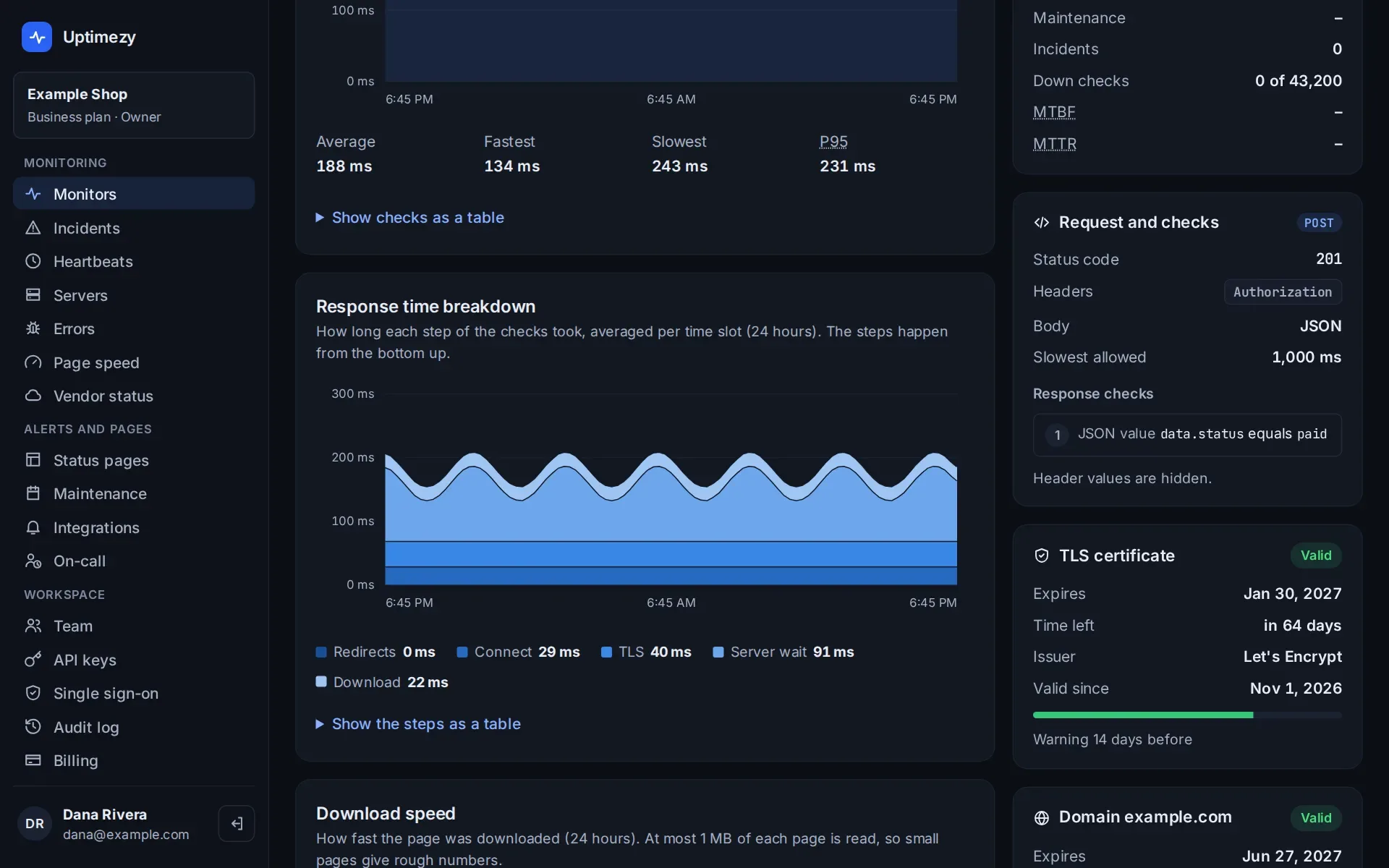
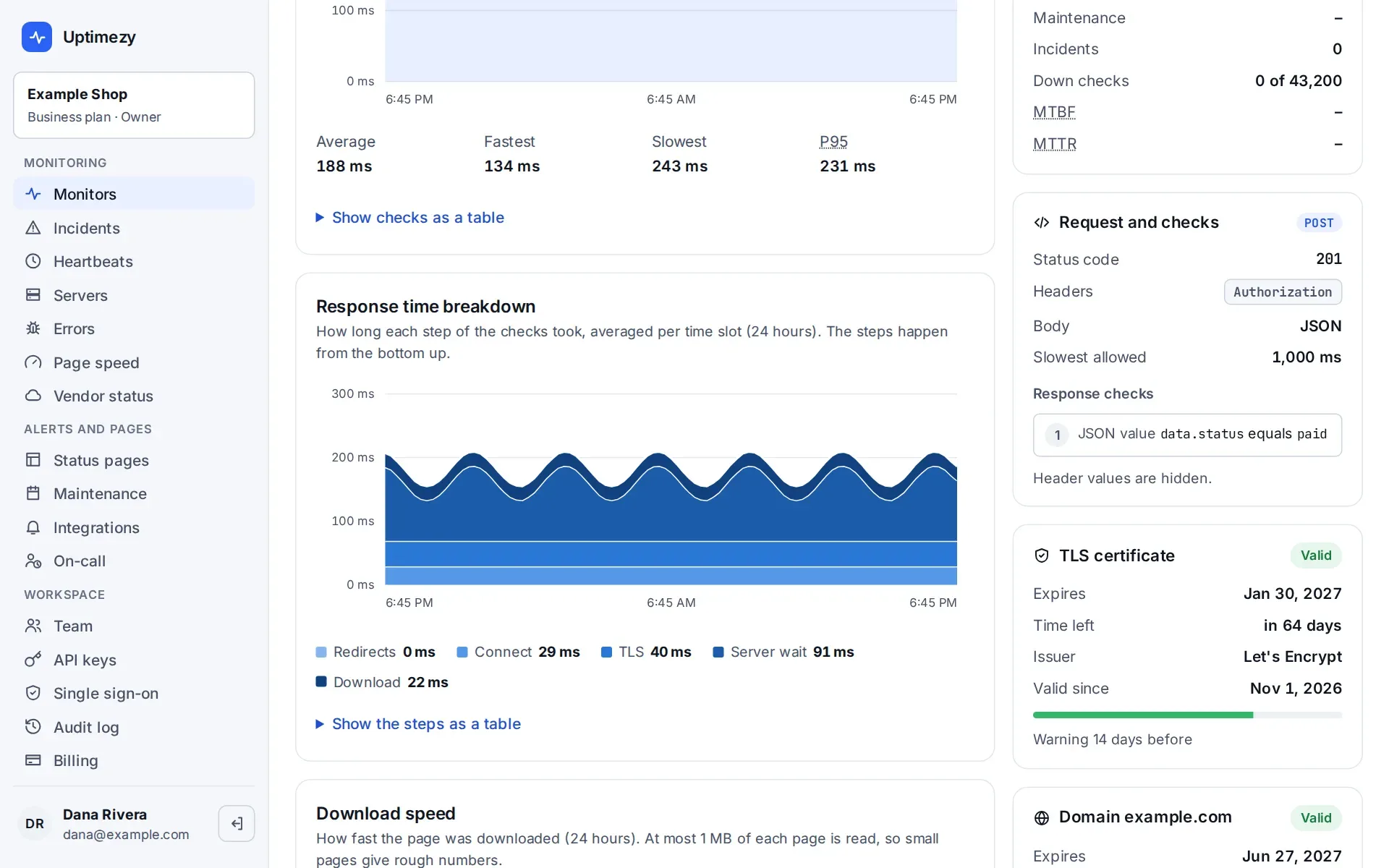
A screen from the dashboard, with example data.

An API monitor's page: the request it sends and the checks on the answer.An API monitor's page: the request it sends and the checks on the answer.

How it works

  1. The address, the method, your headers and a body if it needs one.

  2. The status code, then the values and headers the answer must have, and a time limit.

  3. The alert says “Response check 2 failed”, or why the request failed.

The full guide

API monitoring, explained

Eight chapters on what an API check sends, what it judges and what we keep. Each one opens in place.

01What an API check judges, in order

Each check sends one request and judges the answer in a fixed order. The first step that fails gives the reason, and the later steps are not judged. So a wrong answer is reported as wrong, even when it was also slow.

Read moreShow less
StepIt fails whenReason shown
The requestThe name, the connection, the certificate or a redirect fails, or the answer does not arrive within the Timeout“Address not found (DNS)”, “Connection refused or dropped”, “Certificate or secure connection problem”, “No answer in time” and a few more
The status codeIt is not the Expected status code: one class such as 2xx, or one code such as 201“Unexpected status code”
The response checksOne of your checks does not pass; they run in order and the first failure counts“A response check failed”, with the check's number
The timeEverything passed, but the answer took longer than your Slowest allowed response (ms)“The response came too slowly”

Without response checks and without a time limit, an API monitor works like a website monitor, except that it follows redirects only on the same host. What it adds is any method, your headers and a body, and each check you add makes the answer prove a little more.

02Sending the request your API expects

Choose the Request method, then add headers and a body if the endpoint needs them. The API monitors guide shows each field in the dashboard.

Read moreShow less
  • Methods: GET, HEAD, POST, PUT, PATCH, DELETE and OPTIONS. A body goes only with POST, PUT, PATCH and DELETE, up to 16 KB.
  • Up to 10 Request headers, each value one line of up to 2,000 characters. Yours replace the User-Agent, Accept and Content-Type the check sends itself.
  • Headers that change how a request travels cannot be set: Host, Content-Length, Connection, Transfer-Encoding and a few more, and every header that starts with Proxy- or Sec-.
Body typeContent-Type sent
JSONapplication/json; the body must be valid JSON when you save
Form (URL-encoded)application/x-www-form-urlencoded, such as a=1&b=2
XMLapplication/xml
Texttext/plain; charset=utf-8

03Writing checks on the answer

A response check reads one value from the JSON answer, or one header, and compares it with your value. You can add up to 10, and they run in the order you list them.

Read moreShow less

Say the endpoint answers {"status": "ok", "database": {"connected": true}, "queues": [{"waiting": 3}]}. Each of these checks proves one thing:

Look atPath or nameComparisonValue
JSON valuestatusequalsok
JSON valuedatabase.connectedequalstrue
JSON valuequeues[0].waitingis less than50
Response headerContent-Typecontainsapplication/json
  • equals and does not equal compare the whole value.
  • contains and does not contain look for your text inside the value.
  • exists and does not exist need no value.
  • is less than and is greater than need a number.

Without any check, the right status code is enough, unless you set a Slowest allowed response (ms). The monitor's page then says Only the status code and the time are checked. With checks, its Request and checks card lists them by number, the same number an alert uses when one of them fails.

04How paths and values are compared

The rules are strict on purpose, so a check never passes by accident. Most surprises come from upper and lower case, from numbers written as text, and from paths that expect more than they can do.

Read moreShow less

Paths

  • Keys are separated by dots, and [0] is the first item of a list: data.items[0].status.
  • A path may start with $., and $ alone is the whole answer. A path has at most 200 characters.
  • There are no wildcards, filters or ..: a path names one value. A key that holds a dot cannot be reached.

Values

  • Text is compared exactly, upper and lower case included, also by contains.
  • A JSON number equals a number however it is written, so 1.0 equals 1. A number in quotes is text for equals, but is less than and is greater than still read it as a number.
  • true, false and null are compared as those words. A value that is null exists.
  • A value that is not there passes only does not exist.
  • A header that comes several times is read as all its values, joined with a comma and a space.

05A health endpoint worth watching

An API monitor is only as useful as the endpoint it calls. A health endpoint that answers 200 whenever the web server runs proves little. One that reports what it depends on lets a check prove much more.

Read moreShow less
  • Report each dependency as its own value, such as database.connected or cache.ok, and add one check for each. The alert gives the number of the check that failed. With one check for each dependency, that number tells you which one broke: the Request and checks card lists the checks by number.
  • Report numbers that should stay in a range, such as the jobs waiting in a queue or the seconds since the last import, and check them with is less than.
  • Keep it fast and free of side effects. It is called at every interval, and with a Slowest allowed response (ms) a slow answer fails the check.
  • Protect it with a header, not with a token in the address: the address is shown in the list of monitors and in every alert.

Whether a broken dependency should also change the status code to 503 is your choice. Both work: a 503 fails on the status code, and a 200 with false in it fails on the check.

To look for words in an HTML page instead of values in JSON, use a keyword monitor.

06Tokens, keys and what we keep

Headers often carry an API key, so we handle them as secrets. Answers are private too: we judge them and forget them.

Read moreShow less
  • Header values and the body are stored encrypted. A header's value is never shown again, in the dashboard or through the API, only its name. When you edit the monitor, a saved header says Saved. Type to replace.
  • The body is not hidden. Everyone in the workspace can read it, viewers included, and so can its API keys and connected AI assistants. Put a token in a header, not in the body.
  • When the address moves to another scheme, host or port, every saved header value must be typed again, so a saved secret never travels to a new server by itself.
  • A redirect is followed only on the same host, and never from https to http. A redirect elsewhere is judged as the answer, so with 2xx it fails on the status code.
  • From each answer we keep the status code, the response time and its steps, and which check failed. Never the body, and never a header's value.

07Reading a failed API check

Every failed check has one reason, in the dashboard's words. For a response check, the alert also gives its number, so you know which promise the API broke.

Read moreShow less
ReasonWhat to look at
“Unexpected status code”The endpoint answered with another code: a 401 for an expired token, a 503 from a health check, or a redirect to another host
“A response check failed”A value or a header did not pass. On the monitor's page, the Request and checks card marks that check Failed in the last check
“The response is not valid JSON”A JSON check met an answer that is not JSON, often an HTML error page, or an answer longer than 1 MB
“The response came too slowly”Everything was right except the time
“No answer in time”The whole answer did not arrive within the Timeout

Webhooks carry the same facts as data: the cause and, for a response check, its number in failed_check. See webhooks. Every reason is listed in the API monitors guide.

08When an API monitor counts as down

One failed check does not wake anyone. The monitor checks again, and other places are asked before the status changes.

Read moreShow less

After a failed check, the same place checks again 30 seconds later, or at the next check when the interval is shorter. A second failure in a row makes the monitor Down and opens an incident. When other places that can make API checks are online, up to two of them check at the same moment, and most must agree. A recovery needs only one passing check, confirmed the same way when other places can make API checks.

Alerts go by email, to webhooks and to 9 chat apps, and escalation tells the next person when nobody acknowledges.

Common questions

Can I check text in an HTML or plain-text answer?

Checks read JSON values and headers. To look for words on a page, use a keyword monitor.

Are numbers compared as numbers?

Yes, when both sides are numbers, so 9 is less than 10. “Contains” compares text and is case-sensitive.

Who can see my API token?

Nobody, once it is saved: the dashboard and the API show only the header's name. If the address moves to another host, you must type the secret values again.

Can a check sign in first and then call the API?

No. Each check sends one request on a new connection, without cookies, and follows redirects only on the same host. Make a long-lived token for monitoring and send it in a header, such as Authorization.

Does it work with GraphQL?

Yes. Send a POST with a JSON body that holds the query. GraphQL often answers 200 even when the query failed, with the problem in a list named errors, so add a check that errors “does not exist”.

Can an AI assistant create API monitors?

No. Their headers can hold secrets, so API monitors are made in the dashboard, or through the REST API with a key that has the monitors:create permission. An assistant can still list them and read their reports.

What happens when the API answers with a redirect?

It is followed when it stays on the same host and does not go from https to http. A redirect to another host is not followed, so your headers never reach it. The redirect itself is judged, and with 2xx expected it fails on the status code.

More features

All features

Know when a DNS record disappears or loses the value you expect.

Learn more: DNS monitoring

Know when a UDP service stops answering.

Learn more: UDP monitoring

Run a real query and check the answer.

Learn more: Database monitoring

Add your first monitor in two minutes

Free plan. No credit card needed.