DNS monitoring for A, AAAA, CNAME, MX, NS and TXT records

A DNS monitor looks up a record of your domain on every check. It tells you when the record is gone, or when none of its values is the one you expect: a moved server, a lost mail record, a changed name server.

In practice

Where a DNS monitor earns its place

A DNS monitor fits any record whose change would quietly send visitors, mail or trust somewhere else, long before anything looks broken.

Hosting

After moving to a new server

After a move, the site's A record must point to the new server. A DNS monitor with that address as its expected value fails with “DNS record has another value” when the record is edited by mistake, set back by an old script, or points somewhere you did not choose. The alert gives the reason; the monitor never shows what the record holds.
Mail

Mail records that must not vanish

When the MX record disappears, mail to your domain no longer goes to your mail server, and nothing on your website looks wrong. A DNS monitor on the MX record, with your mail server's name as the expected value, alerts you with “No DNS record of this type” or “DNS record has another value”. Only the name counts, so a new priority never sets it off.

Name servers

Name servers changed at the registrar

Whoever controls your domain's NS records controls everything else: the site, the mail, every record. If they change at the registrar, by mistake or through a stolen account, a DNS monitor on the NS record, with one of your name servers as the expected value, fails with “DNS record has another value” once resolvers see the change.

Email sending

The SPF record that lets you send

Your SPF record tells other mail servers who may send mail for your domain. A careless edit can break it, and your mail may then be marked as spam. A DNS monitor on the TXT record, with the whole SPF text as its expected value, fails with “DNS record has another value” when a single character changes. This works for an SPF text of up to 255 characters.

Services

Aliases to a shop or a CDN

A shop, a CDN or a help desk often lives behind a CNAME, such as shop.example.com pointing to the provider's name. A DNS monitor on that CNAME tells you when the alias is removed or points elsewhere. When aliases form a chain, the check compares the name at the end of it; if that end changes on its own, leave the expected value empty.

Portfolios

Many domains, each renewed in time

Agencies and companies with many domains need each one to keep resolving and to be renewed in time. A DNS monitor on each domain passes as long as its record exists. It also warns before the registration ends, when the registry publishes that date, 30 days ahead unless you choose otherwise, and its page shows whether the domain is locked against transfers.

What is included

Six record types

A, AAAA, CNAME, MX, NS and TXT, for public names made of letters, digits, hyphens and dots, such as example.com or mail.example.com.

The value you expect

Name the value that must be there, such as an address or a mail server. The check passes when any of the records matches. Without one, the record only has to exist.

Compared the right way

Addresses as addresses, names without regard to case or a final dot, TXT exactly. For MX, the mail server's name counts, not its priority.

The reason in every alert

“No DNS record of this type”, “DNS record has another value”, “Address not found (DNS)” or “No answer in time”.

Checked again before you hear

A failed lookup is repeated, and other regions look it up too, before an incident opens.

Only the result is kept

We keep whether the check passed, not the values the DNS answered.

In the dashboard

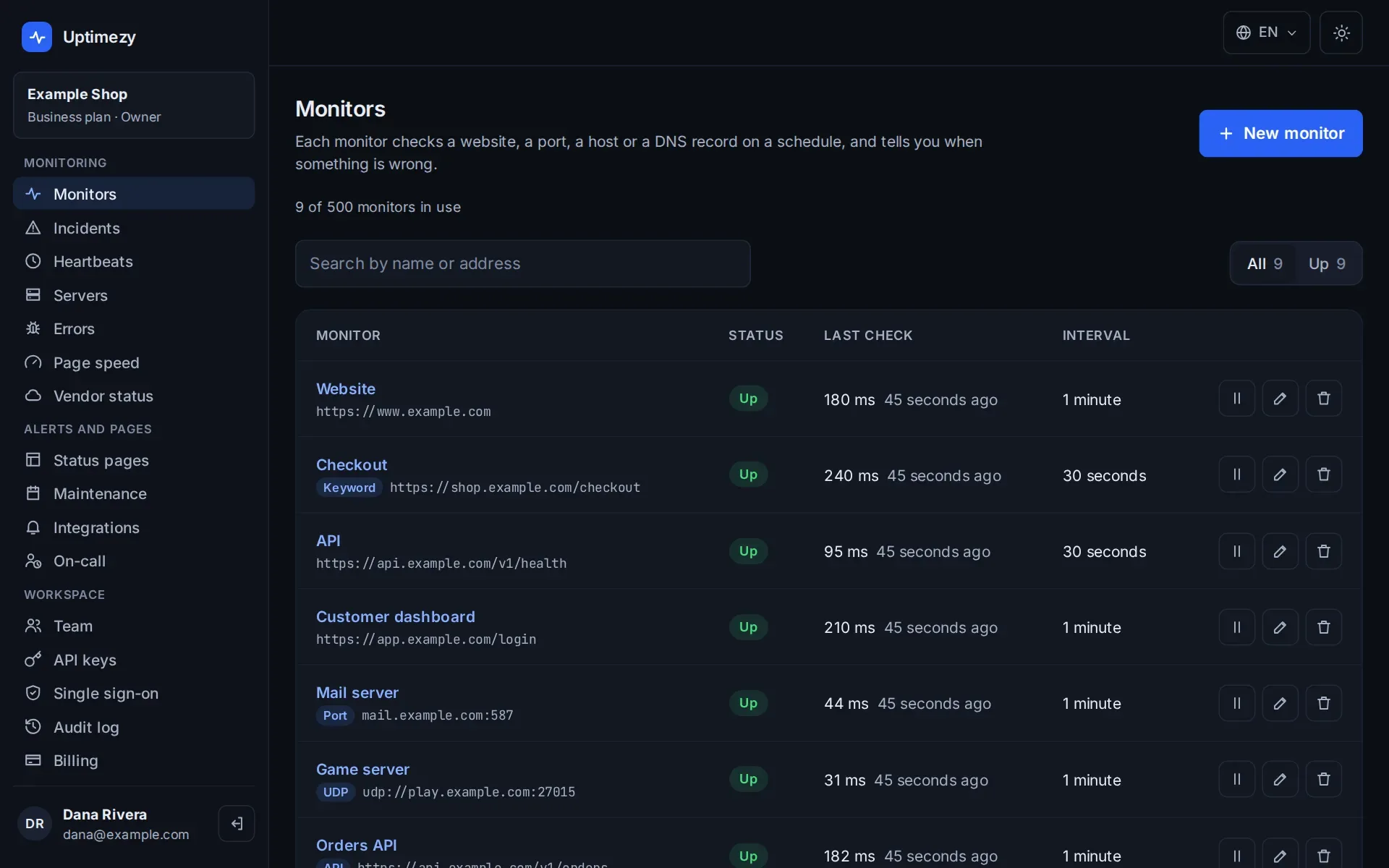
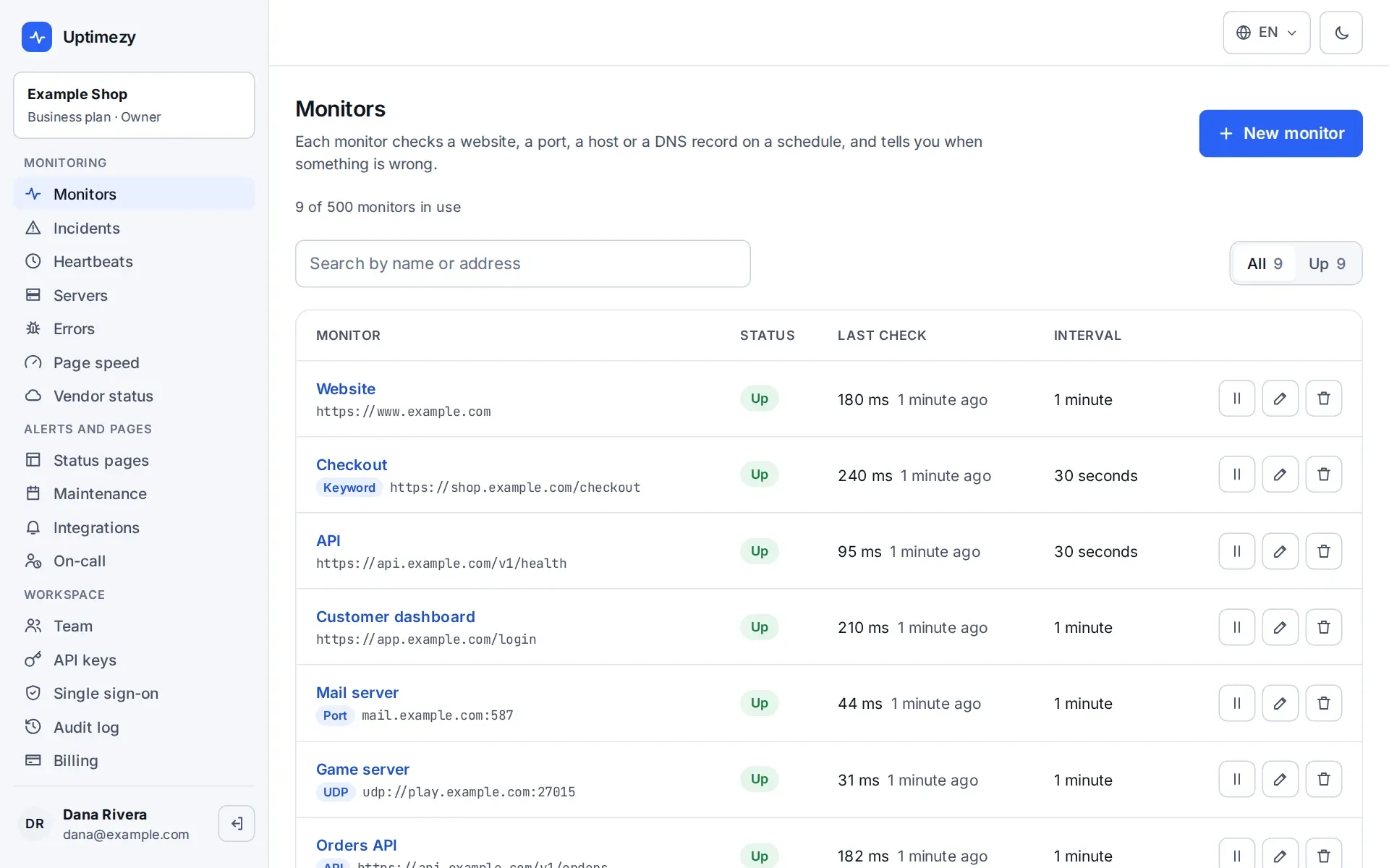
A screen from the dashboard, with example data.

The Monitors page: nine monitors of different types, all up, with their response times and check intervals.The Monitors page: nine monitors of different types, all up, with their response times and check intervals.

How it works

  1. Step 1

    Add the name

    Type the name, choose DNS as the type and the record type.

  2. Step 2

    Say what you expect

    Optionally, the value that must be among the records.

  3. Step 3

    Hear when it changes

    When the record is gone or no longer matches, your channels are told.

The full guide

DNS monitoring, explained

Eight short chapters, from what one lookup asks to what a DNS monitor cannot watch. Each one opens in place, so the page stays short.

01What one DNS check asks

A DNS monitor looks up one record of one name, on a schedule, the way any device on the internet would. It asks the resolver of the place that runs the check, and compares what comes back with what you expect.

Read moreShow less

You choose the name, such as example.com or mail.example.com, and the Record type: A, AAAA, CNAME, MX, NS or TXT. Without an expected value, the check passes when the name has at least one record of that type. With one, it passes when any of the records has that value.

The check only asks DNS: it connects to no server and sends nothing to your hosts. What it found is not stored. The monitor keeps whether the check passed, its reason when it failed, and how long the lookup took, which the Response time chart shows as for any monitor.

02Gone or changed: what an expected value adds

A DNS monitor can catch two kinds of trouble: a record that disappears, and a record that changes. Without an expected value, it sees only the first.

Read moreShow less
What happenedWithout an expected valueWith one
The record is gone, or the name no longer existsNo DNS record of this typeNo DNS record of this type
The record now holds another valuePassesDNS record has another value
A record was added next to yoursPassesPasses
The resolver did not answer in timeNo answer in timeNo answer in time
The resolver answered with another errorAddress not found (DNS)Address not found (DNS)

Because any of the records may match, adding a second address or a second mail server never fails the check, while removing the one you expect does. To watch two values, add two monitors.

One failed lookup sends nothing: the same place looks it up again 30 seconds later, or at the next check when the interval is shorter, and other places vote when we run checks from more than one. See fewer false alarms. No route is traced when a DNS monitor goes down, because the trouble is in the records, not on the way to a server.

03How each record type is compared

The expected value is compared the way that type of record is meant to be read. That keeps harmless differences, such as upper case, from raising an alert.

Read moreShow less
TypeWhat to typeHow it is compared
AAn IPv4 address, such as 203.0.113.10As an address
AAAAAn IPv6 address, such as 2001:db8::10As an address, so a short and a long spelling are the same
CNAMEThe name the alias points toWithout regard to case or a final dot; with a chain of aliases, the name at its end
MXA mail server's name, without the priorityThe name only; the priority is ignored
NSOne of the name serversWithout regard to case or a final dot
TXTThe whole text, such as your SPF recordExactly, upper and lower case included. A record stored in several pieces is joined into one text first. The expected value can be at most 255 characters.

For A and AAAA, a name that is an alias is followed to its addresses, so you watch the address a visitor finally reaches. Spaces at the start and the end of the expected value are ignored.

04Records worth watching

Most DNS trouble starts with a change nobody meant to make. These records hurt the most when they change, and each one is a single monitor to add.

Read moreShow less
RecordWhen it changes or goesExpected value
A or AAAA of your siteVisitors reach the wrong server, or noneYour server's address
MX of your domainMail no longer goes to your mail serverYour mail server's name
NS of your domainOther servers answer for every record of the domainOne of your name servers
TXT with your SPFYour mail may be marked as spam or refusedThe whole SPF text, up to 255 characters
CNAME to a serviceA shop, a CDN or a help desk on your name stops workingThe provider's name

05Setting up a DNS monitor

A DNS monitor takes a minute to add. Look the record up first, so you type the value it holds today.

Read moreShow less
  1. Look the record up with the free check, or with dig on your computer.
  2. In the dashboard, open Monitors and choose New monitor.
  3. Under What to check, choose DNS record, and type the Host: a domain name, not an IP address.
  4. Choose the Record type. If one value must be there, type it in Expected value (optional): for MX the server's name without its priority, for TXT the text without quotes.
  5. Choose the Check interval and the Timeout, then press Create monitor.

The same monitor watches the domain's registration, when the registry publishes its end date: Domain warning warns you before it ends, 30 days ahead unless you choose otherwise. The monitor page then shows the end date and, when the registry says, whether the domain is locked against transfers. More in domain monitoring.

06Which resolver answers, and why changes take time

The check asks the resolver of the place that makes it: our main server, or a probe in another place when there are several. That is how your visitors' devices ask their own resolver, so the monitor sees DNS the way they do.

Read moreShow less

A resolver keeps an answer for as long as the record's TTL allows. After a record changes, the monitor can see the old value for that long, and different places can see different values for a while. You cannot choose the resolver, and the check does not ask your domain's own name servers directly.

Changing a record on purpose

  1. Before the change, press the pause button (two bars) in the monitor's row on Monitors, or plan maintenance that mutes alerts on a status page that shows it.
  2. Change the record, and wait at least as long as its old TTL.
  3. Look it up with the free check, type the new value in Expected value (optional), and start the monitor again with the same button, which now shows a triangle.

07DNS monitor, DNS report or UDP request?

Three of our tools look at DNS, and each answers a different question. Pick by what you need to know.

Read moreShow less
ToolIt answersBest for
DNS monitorDoes this one record still exist, with this value?Watching a record that matters, day and night
Free DNS reportIs the whole domain set up well right now?A once-over of name servers, mail records, SPF and DMARC
UDP monitor with DNS questionDoes this DNS server answer at all?Name servers you run yourself

A common setup: run the report once to find problems, then add a DNS monitor on each record you cannot afford to lose, and a UDP monitor on each name server you run. A UDP monitor counts a refusal as an answer, so it proves the server is alive, not that your records are right.

08What a DNS monitor does not do

A DNS monitor watches one record of one name. Knowing what falls outside that saves you a surprise later.

Read moreShow less
  • Names with an underscore are refused, so _dmarc records and DKIM keys cannot be watched. The free DNS report checks DMARC.
  • Only A, AAAA, CNAME, MX, NS and TXT: no SRV, CAA, SOA or PTR records, and no DNSSEC checks.
  • One expected value per monitor, and no check that every record has it.
  • No checks on a record's TTL, or on an MX record's priority.
  • No IP address as the host, so no reverse lookups, and no names that only exist inside a network, such as .local or .internal.
  • No choice of resolver, and the values found are never shown on the monitor.

Common questions

Which DNS server answers the check?

The resolver of the region that makes the check, the way your visitors' devices ask theirs.

Can I check a whole domain's DNS?

Our free DNS report checks a domain's name servers, mail records, SPF and DMARC at once. A DNS monitor watches one record over time.

Can I watch a DMARC or DKIM record?

No. Their names start with an underscore, such as _dmarc.example.com, and a DNS monitor accepts only names made of letters, digits, hyphens and dots. The free DNS report on our website checks DMARC.

Can I see what the record holds now?

Not on the monitor: it keeps whether the check passed, the reason when it failed and how long it took, but never the values it found. The free check on our website looks a record up and shows the values it found.

How often should a DNS monitor check?

Records seldom change, and resolvers keep answers for the record's TTL, so every few minutes is enough for most records. A record whose change would hurt most, such as the MX record of a busy mail domain, can take a shorter interval.

Why did I get an alert after changing a record myself?

The monitor still expects the old value. Pause it while the change spreads, then type the new value and resume it.

More features

All features

Know when a UDP service stops answering.

Learn more: UDP monitoring

Run a real query and check the answer.

Learn more: Database monitoring

Hear about the job that did not run.

Learn more: Cron job heartbeats

Add your first monitor in two minutes

Free plan. No credit card needed.